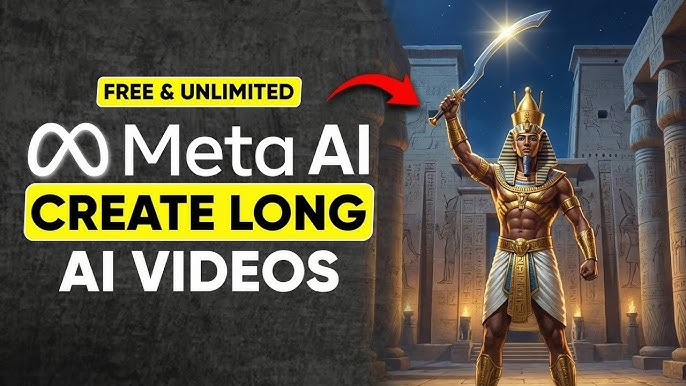
Unlock the Secret to Long AI Videos for FREE Using Meta's Video Generator
Alex Best Digital
4,216 views • yesterday
Video Summary
This video reveals a comprehensive, free method for generating unlimited long videos using Meta AI. The process begins with crafting a detailed script using ChatGPT, breaking it down into scenes with specific image and motion prompts, and ensuring a compelling narrative arc with cliffhangers. Subsequently, these prompts are used in Meta AI to generate high-quality, watermark-free images, which are then animated using custom motion prompts to create video clips for each scene. The workflow extends to integrating these clips in editing software like CapCut, adding AI-generated background music from MusicGen, and human-sounding voiceovers from 11 Labs. Finally, sound effects from Pixabay are incorporated to enhance immersion, resulting in a professional-quality long video. A remarkable 1-minute video demonstrating these techniques was created entirely with free tools, showcasing the potential of this method.
Short Highlights
- Generate long videos of any duration and style for free using Meta AI.
- Utilize ChatGPT with a master prompt to create scripts, image prompts, motion prompts, and voiceovers.
- Employ Meta AI to generate high-quality images and animate them into video clips using custom motion prompts.
- Edit video clips in CapCut, add AI-generated music from MusicGen, and human-sounding voiceovers from 11 Labs.
- Incorporate sound effects from Pixabay and export the final video in up to 4K resolution.
Key Details
Generating Long Videos for Free with Meta AI [00:00]
- The video introduces a method to generate long videos of any duration and style for free and without limitations using Meta AI.
- The demonstration includes creating a 1-minute cinematic video with a narrative about an Egyptian king.
- The full workflow covers script generation, image creation, image-to-video conversion, editing, and adding audio elements.
- A giveaway of premium memberships for previous viewers is announced, with three winners to be contacted via email.
- Viewers are encouraged to like, subscribe, and enable notifications for future giveaways.
"Do you know that you can now generate long videos for free and completely unlimited using Meta AI?"
Crafting a Powerful Script with ChatGPT [00:19]
- A strong script is emphasized as crucial for viral videos and clear message delivery, built upon a compelling story.
- ChatGPT is the recommended tool for script generation, with a focus on effective prompting.
- The ideal prompt should instruct ChatGPT to write a script, break it into scenes, and provide image and motion prompts, along with a matching voiceover.
- A sample "master prompt" is offered, which is customizable and designed to produce premium quality results.
- This prompt guides ChatGPT to create a 1-minute cinematic video (duration and style are editable) centered on the rise of an Egyptian king, referencing films like "Dune" and "Gods of Egypt."
- The script must include a strong opening hook, new hooks every 5 seconds, maintain focus on the main character, end with a cliffhanger, and adopt a specific tone.
- Each scene requires a short description, a detailed cinematic image prompt (including camera angle, lens, lighting, mood, and environment), and an image-to-video motion prompt focusing on camera movement, atmosphere, lighting, dramatic tension, and action.
- A continuous monologue voiceover script, matching the epic, ancient, mythic, and dramatic tone, with short sentences for 5-second scenes, is also generated.
- The prompt specifies the output format for clarity and efficiency.
"Never use a weak prompt like write me a short story and break it into scenes with both image and motion prompts. That prompt is too vague and will give you poor results."
Generating Visuals with Meta AI [06:07]
- Meta AI is presented as a free tool for generating high-quality videos without watermarks.
- Users need to sign up with a Google account if it's their first time.
- The process involves generating images first by copying the image prompt for each scene from ChatGPT and pasting it into Meta AI.
- Users can select the aspect ratio, with 16:9 being demonstrated.
- Meta AI generates four image options per prompt, and users select the best one.
- The effectiveness of detailed image prompts (e.g., "wide shot," "35 mm lens," "swirling sand haze") is highlighted for achieving cinematic and realistic results.
- Meta AI also offers styling options to restyle images with a single click.
- To animate images into video, users should choose "custom animate" and paste the motion prompt generated by ChatGPT.
- The animation process creates realistic effects like camera pushes and light flares.
- Generated clips must be saved by clicking the download icon.
- A tool called "My Detector" is introduced as a content quality and authenticity checker, helping to verify human-like text, check for plagiarism, and provide humanization suggestions.
- My Detector supports multi-dimensional detection across text, images, and code, making it useful for various content creators and academics.
"My Detector makes it easy to scan your essays, scripts, captions, reports, or creative writing and instantly see if any part was flagged as AI generated."
Iterative Scene Generation and Editing [08:45]
- The process of generating scene two involves copying the image prompt from ChatGPT, pasting it into Meta AI, and generating the image.
- The continuity between scenes is noted as the prince moves from outside to inside the temple.
- The corresponding motion prompt is copied, pasted into Meta AI, and animated to create the video clip, with the camera following the character.
- The steps are repeated for all remaining scenes: generate image, animate using the motion prompt, and save the clip.
- Users can generate up to 60 videos per day with Meta AI.
- After generating all scenes, they should be renamed to ensure smooth continuity.
- The final step is editing, using a free and beginner-friendly software like CapCut.
- Imported clips are added to the timeline and arranged correctly.
- Cinematic background music can be generated using tools like MusicGen, which allows for creating up to 50 songs with realistic vocals.
- The instrumental option is selected, a prompt is pasted, and the best result is downloaded and imported into the editor, with timing adjusted and fade in/outs added.
- Voiceovers are generated by copying the script from ChatGPT and pasting it into 11 Labs, which offers human-sounding voices and 10,000 free credits monthly.
- The text-to-speech is generated, downloaded, and imported into CapCut, aligned with the scenes.
- Sound effects are added from sites like Pixabay.com, with links provided in the description.
- Previewing and downloading suitable sound effects is part of the process.
- Audio levels are adjusted to ensure the voiceover remains clear above the music and effects.
- The final video is previewed and exported in up to 4K resolution.
- A community launching in January is announced for those interested in starting and growing a YouTube channel, covering niche selection and video creation from script to edit.
"Rumor has it you can generate up to 60 videos per day, but I have never personally hit the limit."


